Sales meetings generate customer insight, decisions, and next steps. They also leave work behind: update the customer relationship management system, record key details, send a follow up, and coordinate with colleagues. When those tasks depend on memory and manual reentry, customer records can lag behind conversations. An AI meeting assistant can help prepare notes and actions for review, giving salespeople a clearer path from conversation to follow through. Its value depends on how well it fits the sales process and how carefully people review what it produces.
The hidden admin cost in sales
Post meeting administration is a series of short tasks repeated after calls, demonstrations, negotiations, and renewals. Reps move between call notes, email, and CRM fields to reconstruct what happened. As meetings fill the day, updates are postponed or shortened, leaving incomplete context for the next seller, manager, or service colleague.
A thin CRM record can force a buyer to repeat information or leave a colleague without context. Managers may spend reviews gathering basic facts instead of discussing deal strategy, while operations teams reconcile inconsistent fields. Automation helps only when it improves the accuracy and usefulness of these handoffs.
In a hypothetical ten person sales team, a few minutes spent after each meeting on notes and CRM updates accumulates quickly. Inconsistent records add another cost: one rep captures stakeholders and commitments, while another saves only a brief summary. A shared workflow can make expectations clearer.
From customer call to CRM record
An AI meeting assistant can support several connected steps. The organization should decide which steps are useful, which data should be captured, and where a person must confirm the result. Treat the assistant output as a prepared draft that enters an existing workflow, rather than as a replacement for sales judgment.
Prepare for the conversation
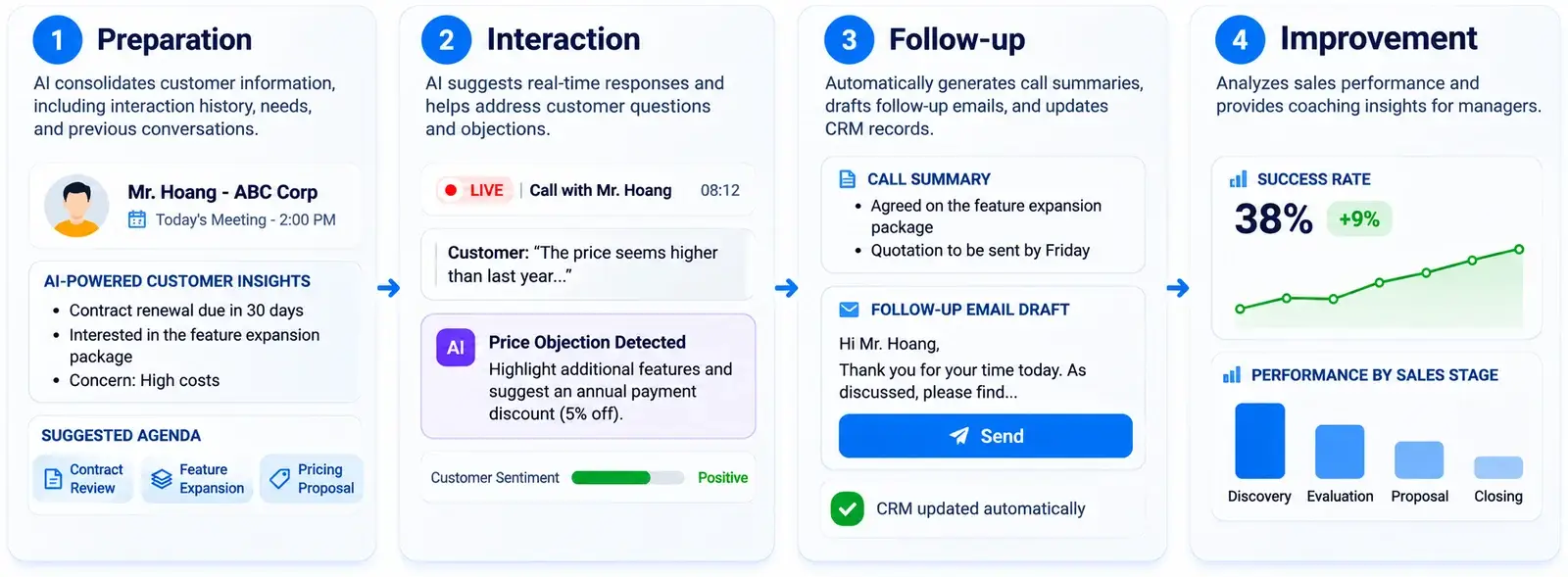
Before a call, a seller may need account history, open questions, prior commitments, and the purpose of the meeting. Bringing the relevant context together can reduce last minute searching and help the rep prepare a focused agenda. The preparation view should distinguish facts already in the CRM from assumptions or suggested questions. A concise prompt for the meeting is more useful than a long account summary that repeats information the seller already knows.
Capture the discussion accurately
During or after a call, a system may create a transcript or summary where recording is permitted and configured. The seller should be able to correct names, product terms, amounts, and statements that could be interpreted as commitments. Summaries work best when they separate buyer needs, open questions, objections, decisions, and next steps. This structure helps a colleague scan the record without mistaking a tentative idea for an agreed action.
Turn next steps into follow up work
A useful meeting record identifies what needs to happen, who owns it, and when it is due. An assistant can draft a follow up message from the agreed actions for the rep to review. It can also propose a reminder when the conversation contains a clear task. The seller remains responsible for confirming the message, checking its tone, and making sure it reflects what the customer actually agreed to do.
Prepare CRM updates for approval
Auto CRM updates are most useful when they target a small set of fields that sales teams rely on for continuity. A draft might add a meeting date, summarize the customer objective, attach the agreed next step, or update a contact note. Changes to opportunity value, forecast category, close date, or commercial terms carry greater weight and should have explicit approval rules. A review screen should make it easy to inspect and correct proposed changes before they become part of the official record.
Support real time sales guidance without distraction
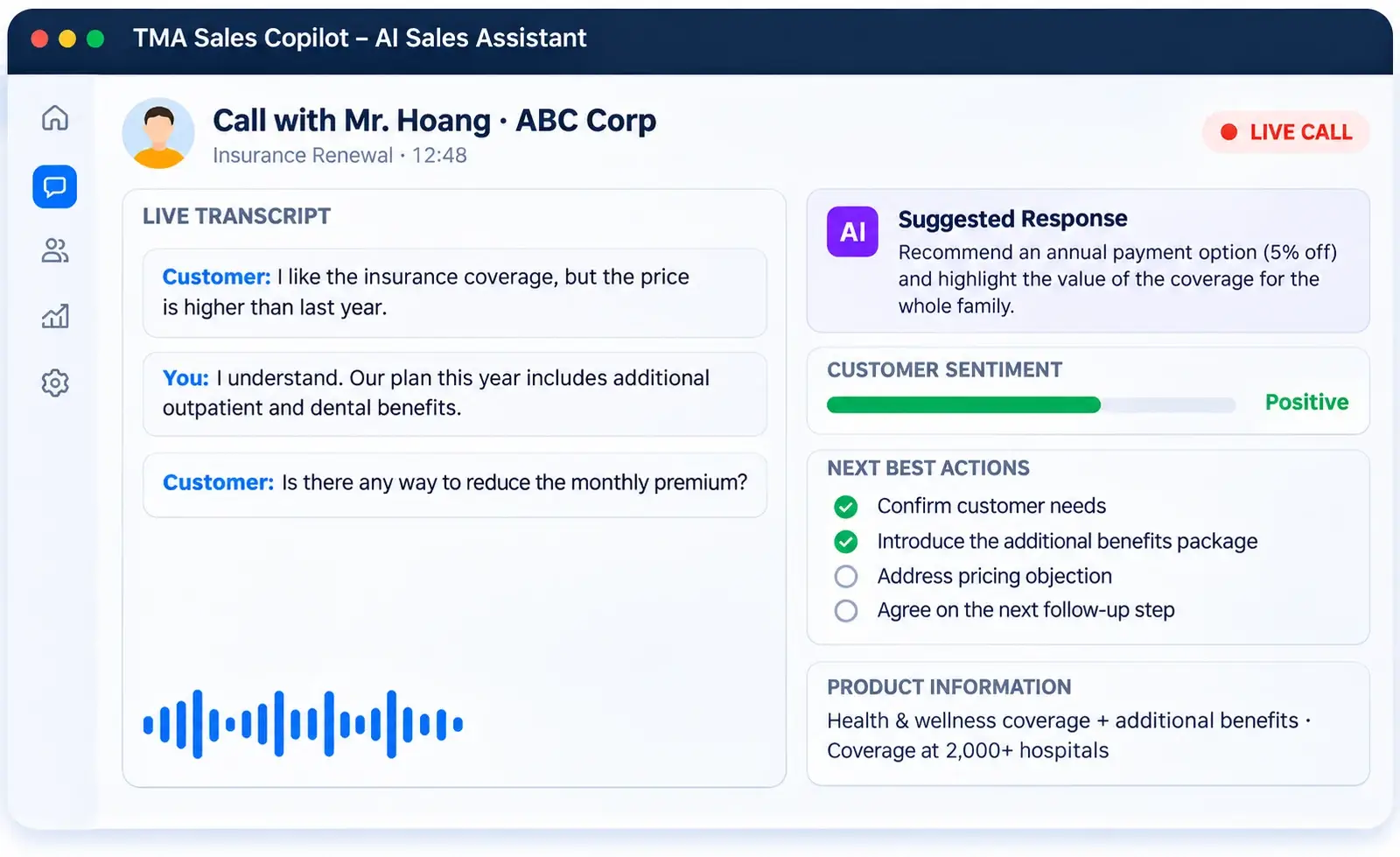
Real-time sales guidance can help a rep find a relevant answer or recall a discovery question during a customer conversation. Suggestions should be brief, tied to the discussion, and easy to ignore while the rep listens. Too many prompts divide attention and make an interaction feel scripted. The goal is to support recall without taking the salesperson out of the conversation.
Teams should decide what kind of guidance fits their sales motion. A complex enterprise sale may benefit from reminders about qualification criteria or stakeholder coverage. A service renewal may need a clear view of outstanding issues and agreed service outcomes. Product answers should come from approved content, and uncertain responses should be visible as suggestions that need checking. A model should not invent discounts, delivery dates, policy terms, or promises to close a gap in the source material.
Using AI call insights to feed your platform for corporate learning
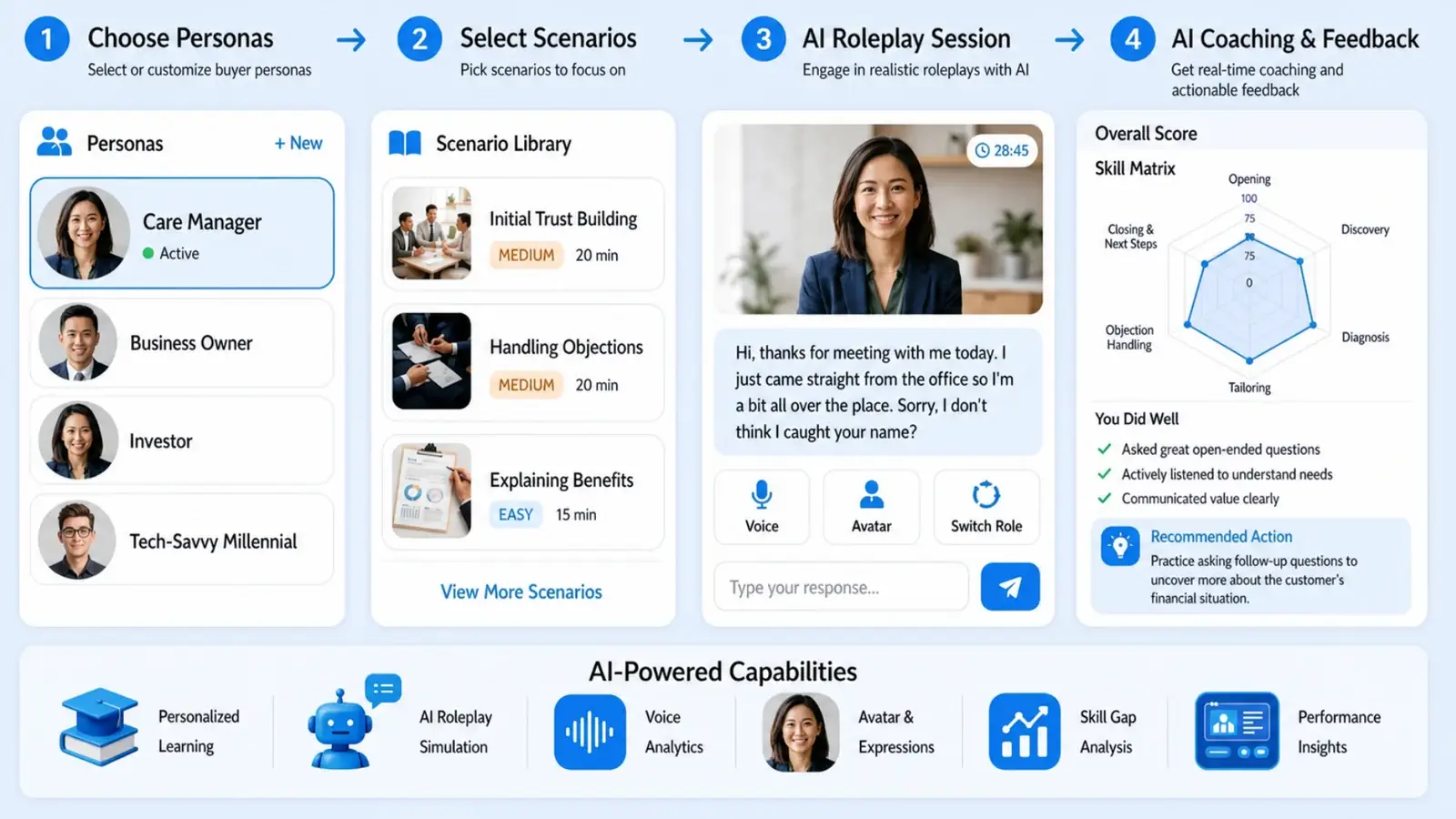
With an approved workflow, a seller reviewed meeting summary can become input for sales onboarding, a lesson, or a practice scenario. Learning designers can select deidentified examples that show recurring objections or gaps in product explanation, then build instruction around those patterns. Reps can practice the skills and managers can discuss how they apply them in later customer conversations. Check summaries for accuracy and remove customer details that are not needed for training.
Call material may contain sensitive information, and a single score cannot represent a customer relationship. Define who can access recordings, which parts support coaching, how long records are kept, and how reps can correct summaries. A transparent process helps employees use the tool as support rather than as hidden monitoring.
Design the workflow before automating it
Start by mapping the current path from meeting end to completed CRM record. Identify duplicate entry, required fields, handoff points, and the tasks that are most often delayed. Ask salespeople, managers, and sales operations which missing details create real rework. Then select one meeting type and a limited set of outputs to improve. A narrow pilot makes it easier to observe whether the assistant saves time, raises record completeness, or simply moves corrections to another step.
Set rules for capture and review before expanding. Tell participants when calls may be recorded, follow applicable privacy requirements, and clarify how transcripts and summaries will be stored. Establish a source for approved product information and a process for correcting incorrect names, actions, or customer intent. Identify which fields can be proposed automatically and which require a rep or manager to approve. These decisions are part of the workflow design, not configuration details to postpone until launch.
Measure quality as well as time saved
Track a small group of indicators that connect to the original problem. These might include time from meeting end to CRM update, completion of required fields, the share of calls with a documented next step, and the number of corrections to generated summaries. Combine operational data with rep feedback and manager review. If administration time falls but records become less accurate, the workflow needs revision before wider adoption.
A discovery call and a renewal meeting need different summaries. Review inaccurate examples to find whether the cause is audio, terminology, prompt design, or unclear CRM rules. Adjust the workflow and give reps a clear way to report errors. This review helps the assistant fit the organization without treating generated notes as equally reliable.
Conclusion
An AI meeting assistant reduces the gap between a customer conversation and a useful sales record by preparing summaries, follow ups, and CRM changes for review. The strongest workflow combines focused automation, accurate source information, clear approval rules, and measures of record quality. Implementing these principles through purpose-built tools like TMA AI Sales Copilot allows sales teams to reclaim selling time without sacrificing the accuracy of their customer data.
Frequently asked questions
Can an AI meeting assistant update the CRM automatically?
Some systems can prepare or apply CRM changes, depending on their integrations and configuration. Teams should decide which fields can be updated, which changes need approval, and how errors are corrected. Customer commitments and forecast decisions deserve particular care.
How does an AI meeting assistant help sales representatives?
It can organize conversation notes, surface potential actions, and prepare follow up material for review. The rep still checks the customer context, confirms the accuracy, and decides what to send or save.
How can AI call insights support sales training?
Reviewed, deidentified call summaries can give sales managers material for lessons and practice. A platform for corporate learning supports employee development; the CRM remains the record of customer and opportunity information.