The world is on the edge of a technological revolution, as augmented reality (AR) is at the forefront. Imagine dinosaurs roaming about your living room, historic landmarks popping up on your street corner, or virtually trying on clothes. This is the captivating experience offered by AR Zone apps. However, how do they work really, and what potential do they have? Let's find out!
Exploring the features of the AR Zone app
What is AR Zone app?
The AR Zone App is a Samsung innovation that leverages Augmented Reality (AR). This technology enables the creation of interactive digital content, including AR emojis, AR doodles, and animated photos. Initially designed for flagship Galaxy S and Note models equipped with the DepthVision camera, it also works on other Samsung smartphones using standard cameras.
Devices featuring the DepthVision camera can capture more accurate 3D data, enhancing AR-based functionalities. Since Android 10, the app comes pre-installed on all new Samsung smartphones and can be accessed via its app shortcut or directly through the camera.
What does an AR zone app do?
The app leverages AR technology, enabling users to overlay 3D versions of objects and characters onto their real-world view. AR Zone lets users effortlessly add AR elements such as doodles, emojis, stickers, animated text, and backgrounds in real time while recording videos. This eliminates the need for post-recording editing, making the process seamless and efficient.
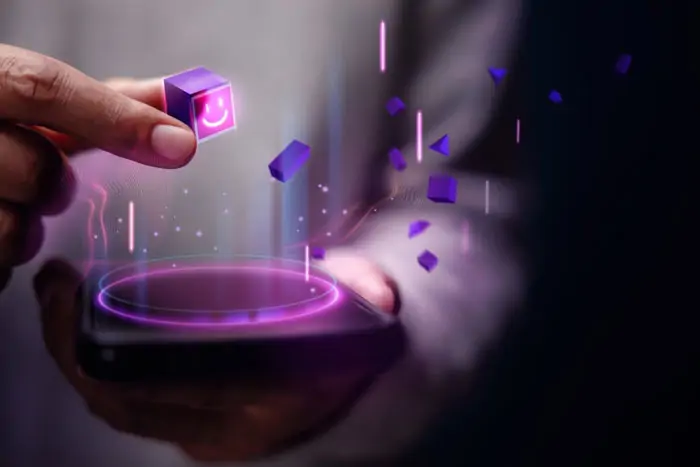
This real-time integration streamlines the creative process and provides immediate visual feedback. Furthermore, AR Zone apps eliminate the need for a separate Bitmoji application; users can create their customized avatars within the app. It also easily exports them to chat applications for use alongside other emojis, streamlining their digital communication experience.
Key features that make AR zone app stand out
The AR Zone apps are packed with innovative features that enhance your digital experience:
AR zone camera
The AR Zone camera is an innovative feature that enables users to craft personalized AR emojis by capturing a photo to mirror facial features and expressions. This can then be customized with various hairstyles, outfits, and accessories.
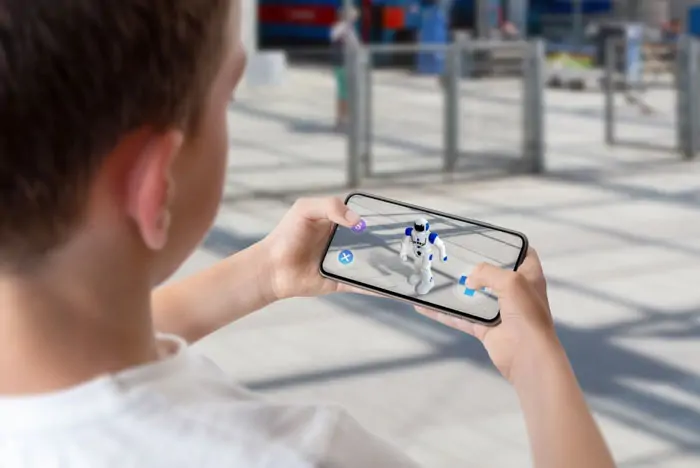
This tool enables users to create personalized emojis and use them for selfies and video recordings. These emojis can also be animated into GIFs for social media or sent as stickers in messaging apps like WhatsApp and Messenger. This provides a fun and expressive way to engage digitally.
AR doodle
The AR Doodle feature unleashes your creativity, allowing you to draw and sketch in augmented reality. With AR Doodle, you can create unique doodles, ranging from simple sketches to complex anime characters, and overlay them onto the real world.
The Samsung app's face-tracking technology ensures that your Samsung doodles move and interact with your facial expressions, adding a dynamic and personalized touch to your creations.
AR emoji studio
The AR Emoji Studio empowers you to create personalized animated avatars. You can customize your avatar's appearance, from hairstyles and clothing to facial features and accessories. Your AR emoji can be added to photos and videos or used as stickers in messaging apps.

To create your own AR emoji, simply open the AR Zone app and tap on the "AR Emoji Studio." Follow the on-screen instructions to customize your avatar's appearance. Once you're satisfied with your creation, you can use it in various AR experiences.
AR emoji sticker
After crafting your unique emoji character in the AR Emoji Studio, "My Emoji" allows you to further refine it or expand your collection. The "All" category provides access to a variety of emoji characters to choose from.
You can then easily share your creations—both the emojis themselves as AR stickers and any accompanying GIFs of your animated emojis—with selected contacts. To create a GIF, simply tap "Get Started" and follow the intuitive on-screen instructions, transforming your personalized emojis into dynamic animated content.
Deco pic
This feature, which uses AR effects, is a fun one that lets you create and share personalized animated stickers. You can customize characters with virtual makeup features like lip color, mustaches, and eye color.
An advanced feature for Samsung users allows seamless integration with devices like smartphones and smartwatches. This enhances their ability to capture and share playful moments effortlessly.
Home décor feature
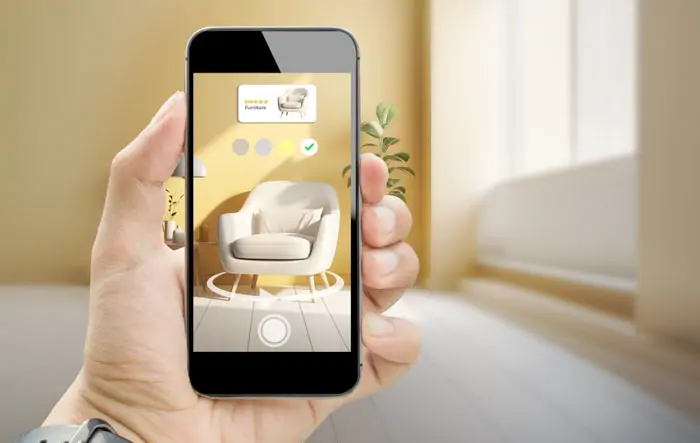
The AR Zone app features a Home Décor tool that allows you to visualize furniture and decor in your space. This helps you experiment with different styles and layouts before making real-world changes.
Quick measure
The AR Zone app includes a Quick Measure feature that allows you to measure objects and distances in the real world using your device's camera. Quick Measure comes in handy for various tasks, from home improvement projects to furniture placement. It also offers fast and accurate dimensions, eliminating the need for a physical measuring tool. It's perfect for tasks like measuring a wall for a painting or checking if new furniture will fit.
The business opportunities of the AR Zone App
The immense business potential of augmented reality is highlighted by apps like AR Zone. The mobile augmented reality market is projected to reach nearly USD 211.97 billion, growing at a CAGR of 45.7% from 2023 to 2028.
Samsung's app offers advanced AR customization features, including customizable 3D backgrounds and animated video creation. These features cater to a more loosely defined niche compared to its competitors.
Most AR applications on Google Play and the Apple Store focus on AR gaming, while platforms like Snapchat and Instagram are only starting to integrate AR as a core feature. This leaves much room for innovations by possible businesses and appreneurs.
Indeed, personalized and interactive content through the use of AR can help businesses enter this emerging market potentially and bring their ideas to profitable fruition.
How to develop mobile AR apps?
Developing the mobile AR Zone app Android involves a structured approach that integrates technical expertise with creative design. The following steps outline the process to create effective and engaging AR mobile apps:
Step 1. Define project requirements
Begin by clearly articulating the objectives and scope of your AR application. Identify the target audience, platform (iOS, Android, or both), and the specific AR features you intend to implement. This foundational step ensures that the development process aligns with your business goals and user expectations.
Step 2. Choose the appropriate AR development approach
Selecting the right development approach is crucial. Options include native development using platform-specific AR SDKs like ARKit for iOS and ARCore for Android, cross-platform development, or WebAR solutions. Each approach has its advantages and should be chosen based on the project's complexity, desired features, and target platforms.
Step 3. Select suitable AR development tools and SDKs
Utilize robust AR development tools and Software Development Kits (SDKs) that align with your chosen approach. Popular options include Unity with AR Foundation for cross-platform development, Vuforia for image and object recognition, and ARToolKit for open-source solutions. These tools provide the necessary frameworks to build and deploy AR apps effectively.
Step 4. Design the user experience (UX) and user interface (UI)
Focus on creating an intuitive and engaging UX/UI that seamlessly integrates virtual items with the real world. Consider factors such as user interaction patterns, environmental context, and accessibility to enhance immersion and usability. Effective design ensures that users can interact naturally with AR content.
Step 5. Develop and integrate AR features
Proceed with the development of AR functionalities, including motion tracking, environmental understanding, and light estimation. Implement features such as object recognition, surface detection, and interactive 3D content. Ensure that the AR elements are responsive and accurately aligned with the physical environment
Step 6. Conduct thorough testing and quality assurance
Perform comprehensive testing to identify and resolve any issues related to performance, usability, and compatibility across devices. Testing should cover various scenarios to ensure the AR experience is consistent and reliable under different conditions. Quality assurance is vital to delivering a polished final product.
Step 7. Plan for deployment and maintenance
Prepare for the app's deployment by adhering to platform-specific guidelines for app stores. Post-launch, establish a plan for regular updates and maintenance to address user feedback, implement improvements, and ensure compatibility with new devices and operating system versions.
Conclusion
Just around the corner, AR Zone apps will transform the entire way a person interacts with the world. It can free up wonderful possibilities—from making learning even better to enhancing shopping to revolutionary gaming. Just think as an owner; it will take your brand and client experience to another level through the AR zone apps. Let us help you take a look at the very exciting world of AR development—the last frontier you could join as a tech enthusiast in such a revolutionary technology.


.webp_2026-10-01-18-27-07-971.webp)
.webp_2026-10-01-18-17-11-290.webp)
.webp_2026-10-01-18-08-26-854.webp)
.webp_2026-10-01-17-47-32-240.webp)