Browser Isolation - Secure Enterprise Web Access
The modern enterprise operates on the web. The rise of cloud computing, Software-as-a-Service (SaaS) platforms, and remote work models has elevated the web browser from a simple utility to the primary workspace for employees. Consequently, the browser becomes a prime target for cybercriminals and threat actors, being the least protected attack surface despite significant cybersecurity spending.
Traditional enterprise browsers are ill-equipped for this ever-evolving threat landscape. Tools like antivirus software, endpoint protection platforms (EPP), and signature-based Secure Web Gateways (SWG) operate on a reactive, detection-based model. They depend on identifying known threat patterns, signatures, or malicious behaviors to block an attack. This approach is fundamentally flawed against modern adversaries who deploy zero-day exploits, polymorphic malware, and highly evasive adaptive threats specifically designed to bypass these defenses. The result is a security posture that is always one step behind the attackers.
Browser Isolation is a shift from this probabilistic model of threat detection to a deterministic model of threat prevention, an embodiment of the Zero Trust philosophy applied to the web.
Core Principles Of Browser Isolation
Browser Isolation is a security technology that physically isolates a user's web browsing activity from their endpoint device and corporate network.
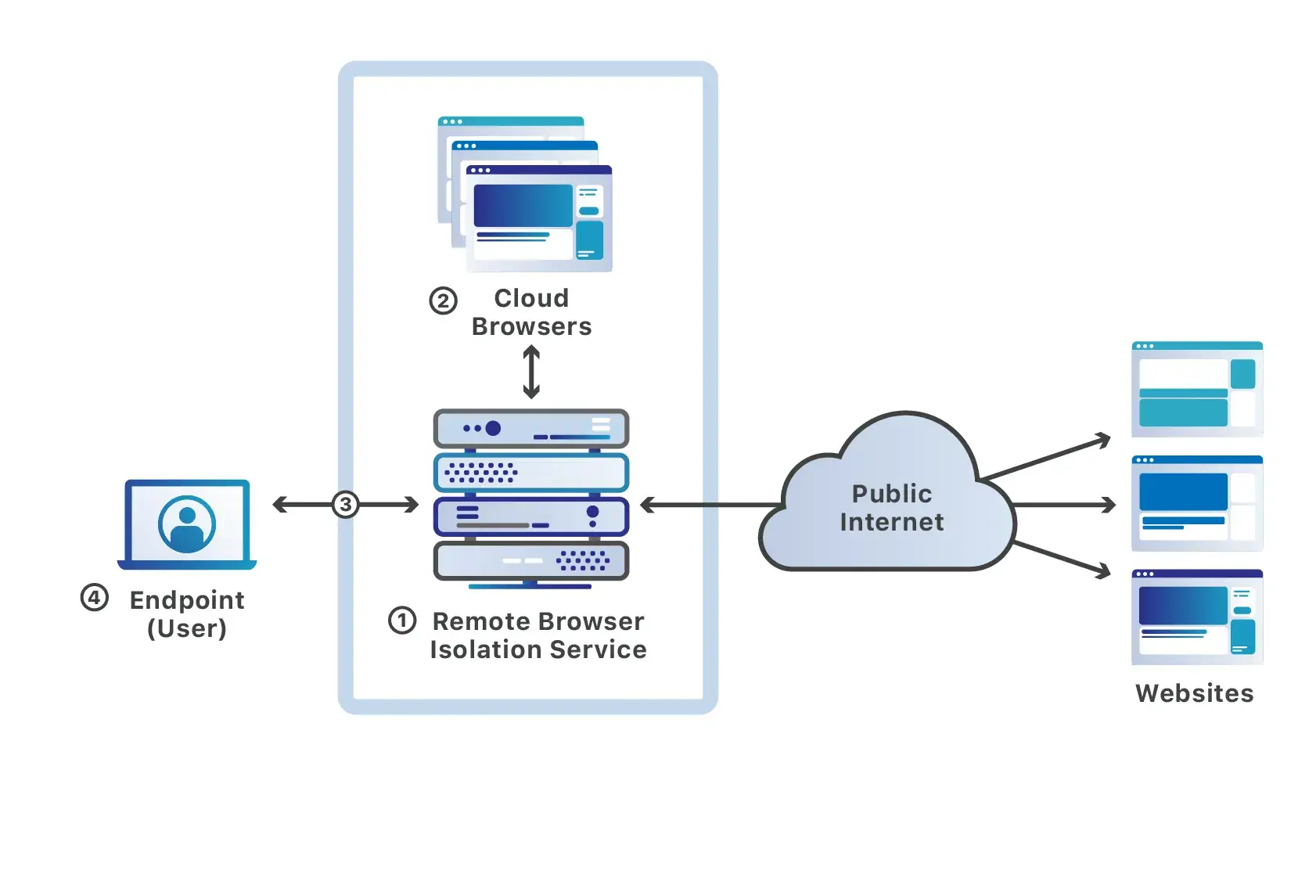
When a user navigates to a website, the browsing session is not initiated locally. Instead, it is executed within a secure, containerized environment, typically on a remote server hosted either on the cloud or on-premises. All active code from the website runs within this isolated space, completely sandboxed from the user's machine. The user then receives and interacts with a safe, sanitized version of the webpage’s visual content on their browser, constructed using remote rendering technologies such as Pixel Pushing or Adaptive Clientless Rendering (ACR).
These remote sessions are ephemeral; once the user closes the tab or ends the session, the entire container, along with any malware, malicious cookies, or trackers it encountered, is instantly destroyed.
Key Features Of Browser Isolation
Organizations’ interaction with web applications is complex and spans across multiple domains, allowing Browser Isolation solution vendors to provide differentiated offerings, all characterized by a few important features:
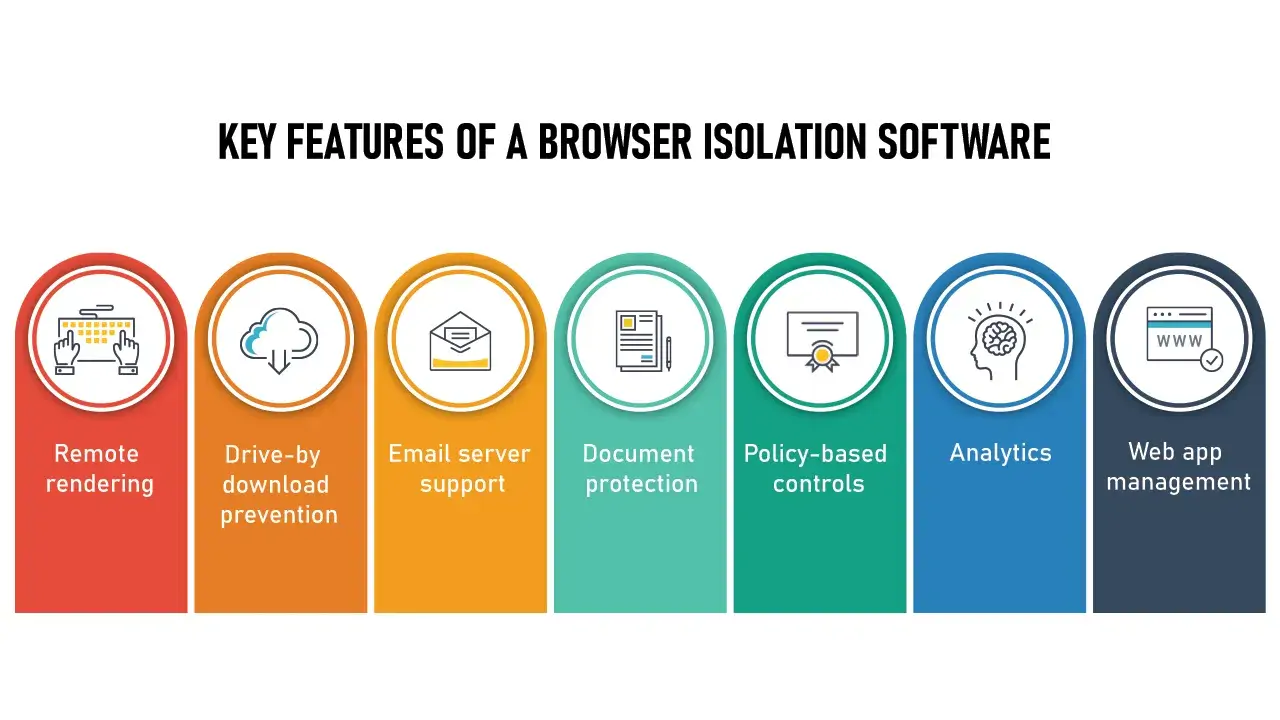
Remote Rendering: The core of Browser Isolation. The solution must load any content retrieved from an external connection in an isolated, sandboxed location away from the user’s device and provide a sanitized version for the user to interact with.
Drive-by download Prevention: Browser Isolation must prevent unintentional, unauthorized file downloads onto the user’s file system.
Email Server Support: Phishing email is one of the most common and effective attack vectors employed by cybercriminals. Browser Isolation must integrate seamlessly with web-based email services to protect users and businesses against fraudulent links.
Document Protection: Also known as Content Disarm and Reconstruction (CDR). When the user must download documents from the web, Browser Isolation should assume the file is malicious and be able to transform the original document into a safe and harmless format while retaining information.
Policy-based Controls: Browser Isolation must allow administrators to set granular rules for how different employees can interact with the web, empowering the business.
Analytics: Browser Isolation solution should collect and collate browser activity data into informative reports, allowing administrators to identify potential security gaps and fine-tune security policies for optimal effectiveness.
Web App Management: Modern work is transitioning from locally-installed software to web-based applications. Browser Isolation should extend its protection to these platforms.
Secure Browser Isolation in Zero Trust
In response to an increasingly complex threat landscape, enterprises are fundamentally shifting their security posture by adopting the Zero Trust model, operating on the core principle of "Never Trust, Always Verify".
Browser Isolation, as a direct and powerful application of Zero Trust’s principle, addresses a critical gap that exists in legacy Zero Trust architectures by extending the philosophy to the web browser, complementing other security solutions within a Zero Trust system. It can be integrated with cloud email security to neutralize phishing attacks or work alongside Data Loss Prevention (DLP) tools to prevent users from leaking sensitive data.
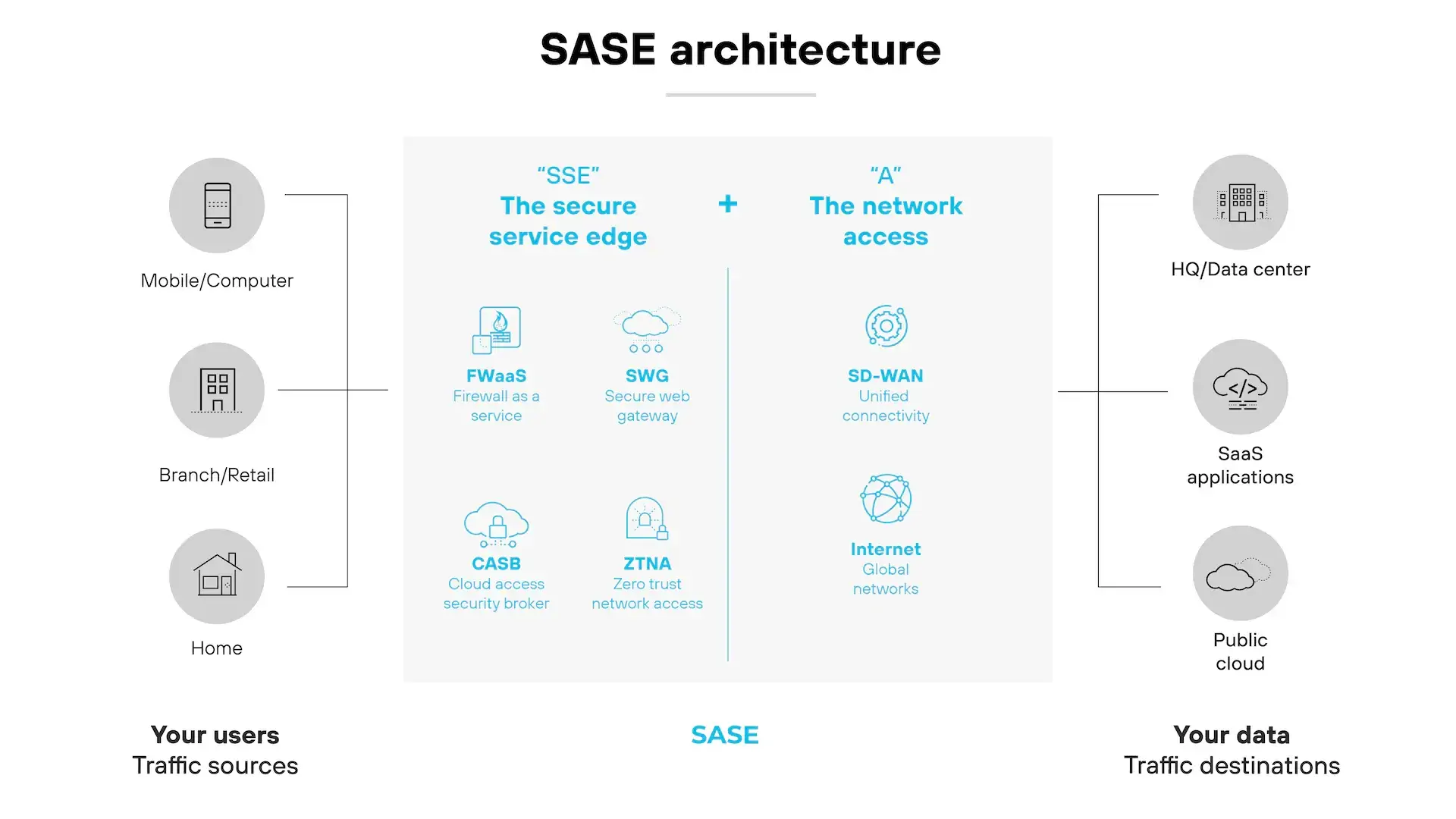
This capability makes Browser Isolation a critical component of modern security frameworks like the Secure Access Service Edge (SASE), where it serves as a core function of an advanced SWG.
Case Study
Comprehensive Cross-Platform Remote Browser Isolation
TMA Solutions leveraged expertise in security application services for a U.S.-based security vendor seeking to accelerate the development of their flagship product and create a market-leading platform that could neutralize all web-borne threats for their clients without compromising user experience or web functionality.
TMA was engaged to provide the specialized engineering talent required to build the product's core features. The features included a robust and highly performant browser rendering engine for Browser Isolation’s Remote Rendering. The engine, built on Google's open-source Chromium project and implementing a proprietary blend of ACR and Smart-DOM technologies, delivered a seamless and intuitive browsing experience, fully compatible across all modern browsers, devices, and OSes.
Other functionalities involved advanced data security controls, providing both inbound Document Protection with CDR and powerful outbound DLP features such as restrictions on file uploads, automatic watermarking of documents and applications, redaction of sensitive data, and prevention of unauthorized copy-and-paste actions, all controlled by a sophisticated policy engine.
To meet diverse infrastructure and compliance requirements, the platform was designed for maximum deployment flexibility, supporting multi-cloud strategies via major third-party cloud providers, private on-premise systems, or hybrid models combining both, giving the end-clients complete control over where their data was processed and ensuring the solution could adapt to any existing IT landscape.
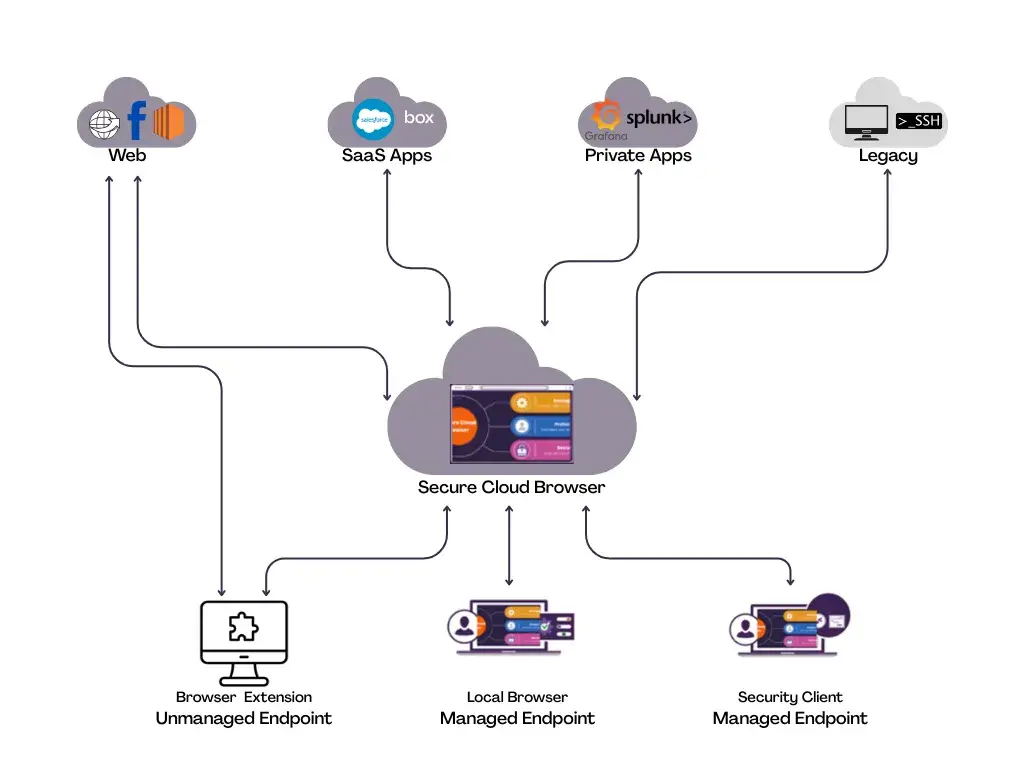
This isolation technology integrates seamlessly into the client's broader Zero Trust ecosystem. TMA Solutions enabled them to bring a powerful, cross-platform security architecture to market, fully aligned with the client’s operational and regulatory needs.


.webp_2026-10-01-18-27-07-971.webp)
.webp_2026-10-01-18-17-11-290.webp)